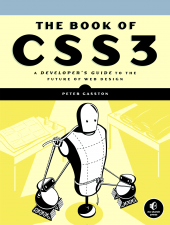
The Book of CSS3
I had been wanting to learn more about CSS3, so when offered a review copy of The Book of CSS3, I accepted knowing that at the minimum, I’d at least get exposure to a bunch of cool new design features. Luckily, the book itself is well written and proves to be a great guide to what’s available now, and to what’s coming soon.
The book is written for web developers who are familar with CSS and who may have played around with some of the new CSS3 features, like rounded corners and drop shadows, but who are looking to get a fuller understanding of what it is and what they can do with it. After explaining a bit about what CSS3 is, remarking on its modular nature (the spec is broken into modules so that browsers can implement individual modules without having to implement the whole CSS3 spec right way) and giving a short write up of its troubled history (work on the CSS3 spec originally started way back in 1998), the book launches into chapters on individual CSS3 topics – you can see the full table of contents here.
The flow of the book from one topic to the next is pretty good, but with the exception of chapters dealing with animation and transformation, most of the chapters can pretty much be read in any order. However, the earlier chapters cover topics that are more widely accessible, stable, and cross-browser than the later chapters, so reading the book start to finish is probably advantageous. The structure of each chapter is very similar, with the author discussing a little about the topic and then leading you through various sections where features are described and showed off with examples. Cross-browser techniques (where relevant) and compatibly are also mentioned.
One of the early topics that really piqued my interest was Web Fonts. With Web Fonts you can use any font you want, even a crazy hand written one, and users will see it when viewing your webpage. The author even provides some cool links to some CSS3 font resources like Google Web Fonts, which makes it really easy for you to include and use fonts in a cross-browser manner.
Another topic that I enjoyed was “Transitions and Animations”. Animations let you move and change elements during a given time period. Unfortunely for us, the Animations module, at least for now, is only implemented in Webkit browsers (Chrome and Safari). However, Transitions are currently available in all of the major browsers except IE. A “Transition” is an animation that happens between two different states. They allow you to give a smooth feel to certain style changes. For example, say you wanted to change the color of a link, but you wanted the change to come in gradually. You could do that like so:
Example test: Mouse over this link!
As you can see, the hover pseudo-class changes the link to color to red, but since we’ve setup a transition for the color property, the link transitions from black to red over the period of 1 second, instead of abruptly changing to red. This effect also applies to other properties, and is especially neat when changing a div’s position or size.
Near the end of the book some yet-to-be implemented features are discussed. Chief among them is the “Template Layout Module”, which would allow you to lay out items on a page in way that is similar to a grid, but a in fashion that is little more intuitive. The Template Layout Module is made even more interesting by the fact that even though it is currently not implemented in any browser, you can still use it by using a JavaScript library written by Alexis Deveria.
I feel like I learned a lot from this book and that it not only contained a lot of useful information, but that the information was presented well. The only draw back to reading this kind of book is that CSS3 is still in flux right now and certain features will change as things are ironed out, however, much of what’s talked about is reasonably stable, and knowing about what’s coming will probably give you a better footing for the features when they finally arrive. If you’re looking to learn more about CSS3, this is definitely a book to look into.