Home

“The Book of CSS3″ Book Review

Posted by patorjk | Book Reviews | Monday 27 June 2011 9:51 pm

The Book of CSS3

I had been wanting to learn more about CSS3, so when offered a review copy of The Book of CSS3, I accepted knowing that at the minimum, I’d at least get exposure to a bunch of cool new design features. Luckily, the book itself is well written and proves to be a great guide to what’s available now, and to what’s coming soon.

The book is written for web developers who are familar with CSS and who may have played around with some of the new CSS3 features, like rounded corners and drop shadows, but who are looking to get a fuller understanding of what it is and what they can do with it. After explaining a bit about what CSS3 is, remarking on its modular nature (the spec is broken into modules so that browsers can implement individual modules without having to implement the whole CSS3 spec right way) and giving a short write up of its troubled history (work on the CSS3 spec originally started way back in 1998), the book launches into chapters on individual CSS3 topics – you can see the full table of contents here.

The flow of the book from one topic to the next is pretty good, but with the exception of chapters dealing with animation and transformation, most of the chapters can pretty much be read in any order. However, the earlier chapters cover topics that are more widely accessible, stable, and cross-browser than the later chapters, so reading the book start to finish is probably advantageous. The structure of each chapter is very similar, with the author discussing a little about the topic and then leading you through various sections where features are described and showed off with examples. Cross-browser techniques (where relevant) and compatibly are also mentioned.

One of the early topics that really piqued my interest was Web Fonts. With Web Fonts you can use any font you want, even a crazy hand written one, and users will see it when viewing your webpage. The author even provides some cool links to some CSS3 font resources like Google Web Fonts, which makes it really easy for you to include and use fonts in a cross-browser manner.

Another topic that I enjoyed was “Transitions and Animations”. Animations let you move and change elements during a given time period. Unfortunely for us, the Animations module, at least for now, is only implemented in Webkit browsers (Chrome and Safari). However, Transitions are currently available in all of the major browsers except IE. A “Transition” is an animation that happens between two different states. They allow you to give a smooth feel to certain style changes. For example, say you wanted to change the color of a link, but you wanted the change to come in gradually. You could do that like so:


Example test: Mouse over this link!

As you can see, the hover pseudo-class changes the link to color to red, but since we’ve setup a transition for the color property, the link transitions from black to red over the period of 1 second, instead of abruptly changing to red. This effect also applies to other properties, and is especially neat when changing a div’s position or size.

Near the end of the book some yet-to-be implemented features are discussed. Chief among them is the “Template Layout Module”, which would allow you to lay out items on a page in way that is similar to a grid, but a in fashion that is little more intuitive. The Template Layout Module is made even more interesting by the fact that even though it is currently not implemented in any browser, you can still use it by using a JavaScript library written by Alexis Deveria.

I feel like I learned a lot from this book and that it not only contained a lot of useful information, but that the information was presented well. The only draw back to reading this kind of book is that CSS3 is still in flux right now and certain features will change as things are ironed out, however, much of what’s talked about is reasonably stable, and knowing about what’s coming will probably give you a better footing for the features when they finally arrive. If you’re looking to learn more about CSS3, this is definitely a book to look into.

“HTML5: Up and Running” Book Review

Posted by patorjk | Book Reviews,JavaScript | Saturday 7 May 2011 3:30 pm

HTML5: Up and Running

I’ve read a decent number of articles on what will be new in HTML5. I’ve read up on the canvas element, localStorage, web workers, and a couple of the other elements one can use when creating Chrome Web Browser Extensions (for when I created my Typing Speed Monitor and Image Definitions for Dictionaries extensions).

However, I hadn’t really sat down and taken the time to thoroughly go through all the goodies that are planned for/coming with HTML5. So when my office mate showed me a huge pile of books he had just purchased, I saw the one titled HTML5: Up and Runningand got kind of curious. After flipping through it, I found out that its also available online for free under the title of Dive into HTML5, but I ended up ordering my own copy since I prefer to read the paper editions. However, a good number of resources are linked to, so a digital version of the book is somewhat advantageous.
Anyway, the book starts off with some history on how HTML developed. It goes through an old thread in a 1993 W3C mailing list archive, where participants were discussing the creation of image tag. Essentially no one could really agree on how it should be setup (Should it be img, icon or include? Should its properties be src or href?), and ultimately an author of Mosaic (an early web browser) decided to just use what he had initially proposed and shipped his browser with a working img tag. The point of the story is to show you that HTML isn’t this carefully crafted language, it’s based on discussion, but many of its features came about simply because a popular web browser decided to stand behind them.

The next chapter discusses how you as a developer can use the new HTML5 tags in your web pages today, and still have your site be backward compatible with older browsers. It uses a JavaScript technique to do this, however, there are a couple of ways to use the new tags and be backwards compatible, some of which you can read about here.

The rest of the book focuses on giving introductions to the various new features you’ll have access to in HTML5, specifically: the canvas element, the video tag, the geolocation API, the localStorage element, how to setup your site for offline storage, all the new form elements, and how microdata works. These discussions are all pretty good, though I especially liked the chapter on the video tag. I didn’t really know much about the different video formats going into the chapter, so it was nice to have a high level discussion on how videos are encoded. It was also interesting to have the author touch on the licensing issues of H.264 video. After reading about all the fees involved, especially those possibly coming after Dec. 31, 2015, it seems like it’d be a bad format to use as a standard.

Overall I liked the book and would recommend checking it out if you’re curious about using and playing around with the currently available features of HTML5.

“JavaScript Patterns” Book Review

Posted by patorjk | Book Reviews,JavaScript | Monday 31 January 2011 6:58 pm

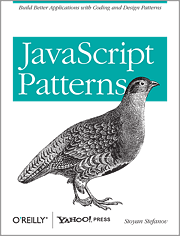
JavaScript Patterns

I went on my honeymoon recently and decided to pick up some reading for the plane ride*. The book JavaScript Patterns** piqued my interest after seeing it on this list of useful JavaScript books, so I decided to check it out.

The book’s aim is to provide useful techniques and abstractions (coding patterns), best practices, and approaches for implementing popular design patterns for the mid-level to advanced JavaScript developer. However, its main focus is on coding patterns. After introducing JavaScript and going over some basic concepts, the author launches into a chapter on best practices, which covers a grab bag of topics, everything from naming conventions to loop optimization to writing API docs. This chapter was actually where I first learned of YUIDoc and JSDoc, two great tools for generating API documentation for JavaScript code.

After that follow the chapters on coding patterns. The author goes over various subjects and explains techniques that will make you a better developer. Techniques like enforcing new when you define constructor function, the module pattern, self-defining functions, etc. Some of it you may already know, but it’s a good collection coding patterns.

The book finishes up with a chapter on implementing common design patterns in JavaScript (it covers: Singleton, Factory, Iterator, Decorator, Strategy, Facade, Proxy, Mediator, and Observer) and a chapter on working with the DOM. If your main interest is in learning design patterns, I’d probably recommend Pro JavaScript Design Patterns instead, since it’s main focus is design patterns and it devotes more time to explaining them and giving examples, however, if you’re already somewhat familiar with them and you have a decent understanding of how OOP works in JavaScript, than I would pick this book up instead as it cover more ground and is faster paced.

Overall I really enjoyed this book and learned a lot of useful tid bits from it. I’d recommend picking it up if you’re looking write better JavaScript code and to fine tune the techniques you know about JavaScript.

* The other books I read were Fahrenheit 451 (it was ok) and The Martian Chronicles (excellent book).
** Non-referral link, just so you all don’t think I’m trying to sell you books.

“Pro JavaScript Design Patterns” Book Review

Posted by patorjk | Book Reviews | Tuesday 1 June 2010 1:03 am

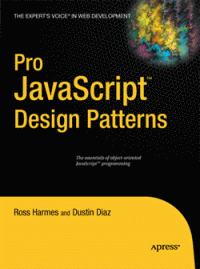
Pro JavaScript Design Patterns

For a while I’ve been meaning to read a book on design patterns, which are ways to design and structure solutions to common problems in order to create efficient and optimal results. I missed a chance to take a course on them back in college when I took Cryptology instead, and have since been meaning to sit down and read up on what’s been developed and what can be useful to me. So it was to my happy surprise when I stumbled across Pro JavaScript Design Patterns in the book store a while back.

The book is broken into two parts. The first part explains how object oriented programming concepts work in JavaScript and how to implement the ones that aren’t built into the language, such as interfaces and private members. The second part of the book focuses on a common set of design patterns and how they can be implemented in JavaScript. It covers the following patterns, giving a chapter on each one: Singleton, Factory, Bridge, Composite, Facade, Adapter, Decorator, Flyweight, Proxy, Observer, Command and Chain of Responsibility.

Before I go any further, while I’m going to write a mostly positive review for this book, I should say that I initially tried to read it around 18 months ago, but stopped after I finished the first section. I re-read it from start to finish about 2 months ago. I stopped the first time I tried to read it because the book introduces a lot of ideas and I was a little confused on some of the concepts it touched on. Specifically, I was confused with how constructor functions worked and how a function’s prototype property worked. I got distracted trying to understand this and picked up another book and ended up not coming back to this book (it’s hard for me to get back into a book once I’ve set it down for a while). As for constructor functions and the prototype property, a good explanation of them can be found here.

I had better luck on my second read through and found the second half of the book to be an easy read. Though each chapter focuses on a different design pattern, some of them use patterns introduced in earlier chapters, so it’s actually a good idea to read the chapters in order. Each of these chapters starts by explaining the basic idea behind the pattern and then goes into a couple of real world examples of how the pattern is used. The chapters close by discussing the benefits and drawbacks of the pattern they introduced and some advice is given to help you identify situations where using the pattern would be a good idea.

Overall, I found this be to be extremely interesting. I could possibly have learned about the different design patterns by reading online tutorials, but being able to look at solutions in JavaScript was very helpful. Also, after reading certain chapters, I felt like going back and rewriting some of my old apps (though I’ll contain myself). Knowing about this collection of design patterns is a huge plus for me and for that alone I’m glad I read this book. I wouldn’t recommend this book to someone who doesn’t have a good understanding of prototypal inheritance, but if you feel like you do, this book is worth checking out. If you don’t, I would recommend looking up some design pattern tutorials online and trying to learn about the common patterns, you’ll be glad you did.

On a side note, I was also amazed at how many of these patterns I’d seen before. It certainly gave me a better appreciation for some of the code bases I’ve seen in the past. I also found that I used some of the patterns already unknowingly, but that I didn’t have a name for the technique I was using.

If I could go back in time I would still probably take that Cryptology class, but I would also try and read up on Design Patterns too. If you have a few extra minutes, it’s worth reading up on them.

“Ext JS 3.0 Cookbook” Book Review

Posted by patorjk | Book Reviews | Monday 15 February 2010 2:34 am

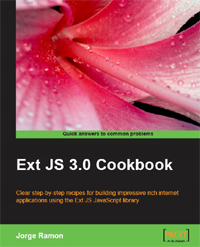
Ext JS 3.0 Cookbook

Ext JS 3.0 Cookbook

Packt Publishing recently provided me with a copy of their new Ext JS book called Ext JS 3.0 Cookbook. The only thing they asked for in return was a review stating my opinion.

For those who don’t know, Ext JS is a JavaScript library aimed at helping developers create web applications with customizable user interface widgets. The library is known being sturdy and for letting users easily create eye-catching designs. However, unlike many other JavaScript libraries, Ext JS is licensed under the GPL by default. For people wanting to avoid the GPL, a commercial license can be purchased.

Ext JS 3.0 Cookbook is a book which has the goal of providing Ext JS users with a wide variety of techniques and code samples with which they can use in their development of web applications. The book is well written, has nicely formatted code samples (which are also available in a zip file – a URL to the file is given in the book), and contains a lot of interesting information. However, I wouldn’t recommend it to everyone, which I’ll get to in a moment.

Ext JS 3.0 Cookbook is divided into 10 chapters, with each chapter covering a different topic of the library. However, the book can really be thought of as one giant, categorized, FAQ guide on Ext JS. Each chapter contains a series of “recipes”. These recipes are specific tasks a developer might want to perform, for example: “Displaying remote data with a combo box” or “Creating a grid panel with expandable rows” or “Creating an auto-refreshing chart”.

The definition of each recipe follows a set pattern of 5 sections:

  • The problem is described.
  • “How to do it…” – Code for solving the problem is provided.
  • “How it works…” – An explanation is given on how the code works.
  • “There’s more…” – Additional, possibly useful, bits of information are provided.
  • “See also…” – Other topics are suggested as further reading.

Each of these sections is given its own heading, though some recipes omit a section when it isn’t needed. This makes the book well suited as a reference guide since you know what you’ll be getting when you look something up. However, even though the book starts off with some recipes on working with the DOM and with data types, it’s not a book for Ext JS beginners. If you’re a new comer to Ext JS, you’re better suited by a book like Learning Ext JS.

Ext JS 3.0 Cookbook is really for those Ext JS users who are past the beginner stage and want something on-hand that will help them accomplish tasks they may run into or help them find better solutions to problems they’ve already had. If you work with the Ext JS library as part of your job or use the library a lot, having this book around would probably be beneficial. It’s nicely put together and has a lot of useful information. However, if you’re just a casual user of the Ext JS library, you’d probably find more benefit from an introductory text on the library or from just browsing their online documentation.

“JavaScript: The Good Parts” Book Review

Posted by patorjk | Book Reviews,JavaScript | Thursday 31 December 2009 5:08 pm

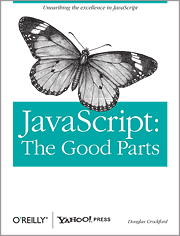
JavaScript: The Good Parts

JavaScript: The Good Parts

Last month I finished reading the short but densely packed JavaScript book JavaScript: The Good Parts.I had been looking for a book that would cover some of the pitfalls of the language more thoroughly than what I’d read about previously and when I saw this in the bookstore it seemed to fit the bill.

The thesis of the book is that JavaScript is a misunderstood language. It recognizes that there are bad parts to the language, but it contends that once you get past them there are some pretty nice good parts – and that by using only the good parts and avoiding the bad parts, you can write some really great code.

The book covers objects, functions, arrays, regular expressions, closure, and how inheritance works in JavaScript. The last one is probably the most important, since most people are only familiar with classical inheritance, and JavaScript’s prototypal inheritance, although wrapped in a syntax that makes it look classical, is very different. The book also discusses JavaScript’s bad parts and why you should avoid them.

Most of the concepts in the book are well explained, though I did find myself needing to re-read certain sections twice to completely understand the topic. This is in part because the book is very short, coming in at 153 pages (including the index). This is a double edged sword in that it allows you to take in a lot of material in a short amount of time, but sometimes you’re left wishing that a little more time was spent on a certain topic.

One other possible fault with the book (depending on how you look at things) is that it does not cover the DOM at all. The DOM isn’t part of the JavaScript language, but almost everyone who uses JavaScript will need to interact with the DOM. Therefore, this book is really more of a companion piece than a definitive reference for JavaScript programming.

Overall I really liked this book. It gives good coverage to some important topics regarding objects and functions, and gives a good explanation of prototypal inheritance. A lot of language quarks are also pointed out and explained. For example, one thing I didn’t realize was that the arguments array that is implicitly passed to functions isn’t a real array. It’s just an object with a length property. The appendix sections covering the “bad parts” and “awful parts” were also pretty interesting, though I disagree with the author that ++ and — are bad.

Anyway, I highly recommend the book if you’re into JavaScript programming. It’s a nice easy read that covers a lot of ground. Also, this is a non-solicited review, though the link above is an amazon referral link.

If you’re interested, the book’s author gave a one hour talk on this book that touches on a lot of its ideas. You can watch it here (actual talk starts at 2 minutes 15 seconds):

Book Reviews Coming

Posted by patorjk | Book Reviews | Wednesday 18 November 2009 12:41 am

Ext JS 3.0 Cookbook

Ext JS 3.0 Cookbook

It’s been too long since I last updated. I didn’t intend to take such a long break from posting, but my life suddenly became really, really busy. In the somewhat near future I’m hoping to post some web-app updates, but I don’t want to state anything specific at the moment.

To finish the year off I have a couple of book reviews coming. Two unsolicited, and one at the request of Packt Publishing, who are providing me a copy of their new Ext JS book called Ext JS 3.0 Cookbook. I previously reviewed a book from them titled Learning Ext JS, which was pretty good. However, I didn’t end up doing much with Ext JS. My main concern was that I’d have to release the application under the GPL (using Ext JS in an application without buying a commercial Ext JS license causes the application’s source code to fall under the GPL, which is an open source license). Though I currently have a couple ideas in mind that I wouldn’t mind open sourcing, so this book may provide some interesting examples/ideas which I can polish them up with.

Also, Packt provided me with an affiliate link, so if you buy a Packt book after following the above link, I’ll get a small cut. I’ve noticed a lot of blogs seem to use affiliate links when doing reviews, however, I figured I’d make sure and state it just so you all know up front. This wont effect my review, but I figured it was worth stating for transparency reasons.

“Learning Ext JS” Book Review

Posted by patorjk | Book Reviews,JavaScript | Wednesday 18 February 2009 2:18 am

Learning Ext JS

Learning Ext JS's Book Cover

This will probably be my last book review for a while. In December I said I wanted to do some more reading up on JavaScript and I think I’ve satisfied that itch. I’ve read 3 and a half books on the topic since then and I think I’ve gained a good amount of knowledge on the language and some of its various frameworks.

This latest book was sent to me by Packt Publishing (in exchange for a review giving my opinion on the book) and covered the Ext JS framework. Its name is Learning Ext JS and its authors are Shea Frederick, Colin Ramsay, and Steve ‘Cutter’ Blades.

Ext JS is a JavaScript framework that’s known for the eye catching user interfaces that it helps you create. It’s geared toward web application development and it was originally written as an extension to the Yahoo User Interface (YUI) library. Unlike many of the other JavaScript frameworks which are offered under permissive licenses, Ext JS is only available via the GPL, a reseller license, or a commerial license.

Learning Ext JS is a good book and I enjoyed reading it. It has a similar set up to the other Packt Publishing book I read on Dojo, however, Shea and company take a little more time to explain things, which results in a longer but better quality book. I especially liked the first few chapters since the examples were easy to follow and involved a little humor. I also liked how a lot of attention was given to grid widgets (two whole chapters). This is an especially useful widget and it’s not usually obvious how to use or set them up.

As for the flow of the book, it starts off by showing you how to get Ext JS up and running and then it walks you through a small, mostly dialog-based application. After the sample app, the book proceeds with chapters that cover a particular area of the framework – Forms, Buttons/Menus/Toolbars, Grids, Layouts, Trees, Windows and Dialogs, Effects, Drag and Drop, and Data. The last two chapters of the book are on extending the framework and on some odds and ends of the framework (like various widgets created by community members).

The book is aimed web application developers who are familiar with HTML but who may not have any experience with JavaScript. However, even though the authors hold your hand through the early chapters and give an explanation of Object-Oriented Programming in one of the later chapters, this book should really only be read by people who are familiar with JavaScript. I can’t see someone without any JavaScript experience being able to tackle a framework like this.

So if you don’t have much experience with JavaScript, I’d probably pick up a book on plain old JavaScript first. However, if you’re interested in a book on Ext JS and have some JavaScript experience, I’d recommend this book. It provides a good introduction to the framework and takes you through many of its different areas.

Also, for those of you interested in a sample chapter, Packt has Chapter 7: Layouts of the book online in pdf format. Personally I think letting a user read the first and second chapter would be much more useful, but a sample chapter is better than no sample chapter.

Looking Into Ext JS

Posted by patorjk | Book Reviews,JavaScript | Tuesday 3 February 2009 2:48 am

Packt Publishing, the same book publishing company that sent me the Dojo book, has offered me another free book in exchange for a review, this time on the JavaScript framework Ext JS. I don’t consider myself an expert book reviewer, however, it sounded like another a great opportunity/excuse to learn something new, so I took them up on it.

The book is titled Learning Ext JS and is written by Shea Frederick, Steve ‘Cutter’ Blades, and Colin Ramsay. So far I’ve read about 60 pages, and it’s looking like it’s going to be a pretty good book. It’s paced well and the authors seem to have a good sense of humor (they introduce Ext JS message boxes using a character from Office Space), though I still have around 190 pages left, so there’s still a long way to go.

Example Ext JS Message Box

Example Ext JS Message Box

Ext JS doesn’t appear to be too different from other JavaScript frameworks I’ve tried, though its main focus seems to be in creating slick looking web interfaces. It was originally created as an extension to the Yahoo User Interface (YUI) library, however, due to its popularity, it ended up growing into a stand alone JavaScript framework. Since it was developed with YUI in mind, it initially required YUI to be present to do the behind the scenes work. This changed over time, first with adapters being written so other frameworks (like jQuery and Prototype) could be used to do the core functionality, and then later so that Ext JS came as a complete, stand alone product. Though during this last phase they did keep the hooks in so that you could still use an adapter and have another framework to do the behind the scenes work if you wanted.

From what I’ve seen of Ext JS so far, it’s looks pretty impressive. The offical
Feed Reader and Web Desktop sample apps look especially cool. The only negative I can see, which was initially pointed out to me by Sloat, is that license for the library is the GPL. This means that apps you write using it would be under the GPL and you would have to release the code for them under the GPL. You can avoid doing this by purchasing a commercial license, though this would cost you between $289 and $18,699, depending on the license and support options you picked.

Knowing this, I probably wouldn’t write any large applications using Ext JS, unless I planned to purchased a license. However, for most of the stuff I write, I don’t mind the source code being available, so having to use the GPL is annoying but not a deal breaker. This is something you should think about before you decide to use the Ext JS library though, because this license requires that you release your source code under the GPL.

Anyway, hopefully this experience will lead me to learning a couple of new tricks and being able to create some nicer looking apps. Instead of waiting until I finish the book to do any kind of in depth work with the framework, I think I’m going to try and be a little more interactive this time and write stuff as I go. That way I don’t end up ignoring this site.

“Learning Dojo” Book Review

Posted by patorjk | Book Reviews,JavaScript | Friday 9 January 2009 2:30 am

So I’ve finished reading my copy of the book Learning Dojo By Peter Svensson. It was a pretty easy read and contained a lot of good info. Overall it’s an okay book, though there are parts where it seems a little rough around the edges, however, I’ll get to why I think that in a bit.

So what is Dojo? Dojo is a free JavaScript toolkit similar to YUI and jQuery, though it bills itself as being larger in terms of features and functionality than the existing JavaScript toolkits. Visually, the widgets it provides (which Dojo refers to as Dijits) are pretty slick and easy to use. You can see a demo of many of them here (this link is unrelated to the book).

Dojo is for people who know JavaScript and who want to add more gagets to their development tool belt. Even though Dojo offers alternative ways to do certain things (like inheritance and finding elements by their ID), you can’t really use it unless you have a decent understanding of JavaScript. Well, you could, but you wouldn’t get very far.

Learning Dojo appears to be aimed at giving web developers a broad introduction on what Dojo can do. It starts off with a two chapters introducing Dojo and then follows them by having chapters dedicated to a particular area of interest – like Forms, Dijits (what Dojo calls widgets), Layouts, Ajax, etc. The author even provides the Layout chapter online as a preview for the book, it’s located here. That chapter gives a good sampling of what the author’s writing style is like.

Overall I thought the book was decent. It’s not something I’d rave about, but its a solid book and contained a lot of info and examples. I feel like it gave a nice introduction to what Dojo is and how it could be used in the real world. I found the chapter on “Data, Trees, and Grids” useful. I had been wondering about easy ways to do grids and to read RSS feeds (the book didn’t discuss RSS feed reading, but it mentioned a library that could do it), so I was pleasantly surprised to come across this info.

My only criticisms of the book were some formatting, editing and spelling issues I ran into. Around 5% of the code examples had indentation issues. The tabs would be aligned incorrectly in certain parts of the example. I’m guessing its because a mixture of space and tab characters were used. However, I don’t know, and these examples were still readable. This was mostly just an annoyance. Also, at the very end of Chapter Two, the “JSON” section had 3 small examples where the code was not printed correctly and it was unreadable. This was upsetting, though it was the only place where I encountered this.

Anyway, if you’re looking for a book on Dojo, Learning Dojo, while rough around the edges, does provide a decent introduction and contains some handy examples.

Also, like I mentioned in a previous post, I was sent this book for free by the publisher with the only condition being that I write a review of what I thought. I don’t get any money if you buy it.

And lastly, if you want to play around with Dojo, you can download it for free at their website.

The Dojo Toolkit… Hrm…

Posted by patorjk | Book Reviews,JavaScript | Thursday 11 December 2008 3:06 am

A few days after I posted my previous entry on the JavaScript books I was reading, I got an email from a book publishing company asking if I was interested in a free review copy of their latest JavaScript book. I was a little skeptical at first, however, after a brief chat, the only string attached was that I write blog entry on what I thought of the book. This seemed like a fair deal, so I decided to take them up on it.

Since I’m getting something for free, I figured the honest thing to do would be to open about it so people don’t think my opinions are biased, since I do tend to gush about stuff I like (YUI, Google Alerts, etc.). When I don’t like something, I usually just don’t write about it. However, if this book ends up sucking, I will be brutally honest about how much it sucks. Though based strictly on chapter 1, the book appears as if it will be a pretty decent read.

Anyway, the topic of the book is The Dojo Toolkit. Dojo is a free open source JavaScript library that provides a number of widgets and utilities, much like jQuery and YUI. Right now I’m unsure of how it compares to these other frameworks, but it looks very promising based on what I’ve seen so far from various Dojo websites. The charting package looked particularly interesting.

Hopefully I’ll learn a lot of cool stuff about Dojo. I wont pretend to be a JavaScript expert, so the review I’ll write will most likely be in the same style as my last review – though probably a bit more thorough. For those of you who are curious, the book is called “Learning Dojo” (that’s the book’s actual website, this is not a sponsored link and I don’t get anything if you buy the book – not that you shouldn’t buy it, I just want to be clear since that page is mostly about buying the book).

After I finish this new book I’m going to get back to my JavaScript Design Patterns book (which it’s really good so far – though I’d only recommend it to hardcore JavaScript developers). And after that I’m going to get back to writing stuff for this site. Hopefully all of this reading will pay off with some nicer apps, tutorials, and programming examples.

Reading Up On Javascript

Posted by patorjk | Book Reviews,Web Apps | Wednesday 3 December 2008 3:03 am

Shortly after finishing the beta version of my Typing Speed Test I started to feel like my knowledge of Javascript had some holes in it, especially in the event handling area. It’d been a long time since I’d read a book on Javascript, so I figured I’d pick one up one to help fill in the holes in what I knew.

I looked around a little bit before selecting “ppk on Javascript”. I chose this book after reading some of the author’s online articles. They were easy to read and contained a lot of interesting tidbits. I don’t want to turn this entry into a book review, so I’ll just say I enjoyed the book and would recommend it. However, the book admittedly doesn’t cover certain topics like OOP in Javascript. Though even with its omissions, it still ended up covering a lot of ground. The major things I took away from the book were:

  • Event Bubbling vs Event Capturing – I feel bad I didn’t know about this. It answers the question: If an element and one of its ancestors have an event handler for the same event, which one fires first?
  • location.href vs location.replace – It’s best to use “replace”. This is because replace doesn’t create a new history entry in the visitor’s browser. This is a good thing, since you don’t want to make a user’s back button useless.
  • The navigator.userAgent string has an amusing story behind why its value is so convoluted.
  • getElementsByTagName – I didn’t know about this DOM function. It looks like it could be really useful though.
  • DOM Tree Text Nodes – When you create an HTML document, the text between tags and the text inside of a particular tag become text nodes. IE doesn’t support empty text nodes while other browsers do, this appears to make modifying the DOM tree a pain.

There were other things too, but those are what stick out in my head while I type this. I’m really glad I read that book. It reminded me of how useful programming books are (I had gotten too use to just Googling whatever I didn’t know).

Right now I’m a little more than 50 pages into “Pro Javascript Design Patterns”, which covers design patterns and OOP in Javascript. So far it’s really good. I had been meaning to read up on design patterns for a while so I’m pretty excited about this new book. I’m averaging almost 20 pages a night, so I should finish up pretty quickly. Once I finish, I’m going to get back to creating content for this site. I may make some posts in the meantime, but I figured I’d give you all a heads up as to what I was doing so you didn’t think I had forgotten about this site.